 Acoustic / daylight
For the song living in your head
AI Tiny Desk
A portrait. A little room. Your kind of performance.
Create an intimate AI concert from your portrait. Choose a room, shape the performance and render a short video.
Your sessionVideo studio · beta
Required for video
JPG, PNG or WebP · up to 10 MB · uploaded only when you generate
Add a personal touch +
0/350 characters5–15 seconds · 720p · optional original audio
A room for your soundSmall room.Big main-character
energy.
energy.
A little sunlight. A lot of soul.
Acoustic afternoon
Photography / mood referenceYour next session, in words.
Copy this direction into your image-to-video workflow.
This prompt is free to copy. Your portrait stays local until you select Generate and confirm permission. Audio generation does not guarantee synchronization to an existing song.
Your idea. Your portrait. Your pace.
Preview before uploading Three session directions Real video · optional audio Access-code rendering
Set the feeling
Every room has a rhythm.
Build a world around the performance.
Start with the one that sounds like you.
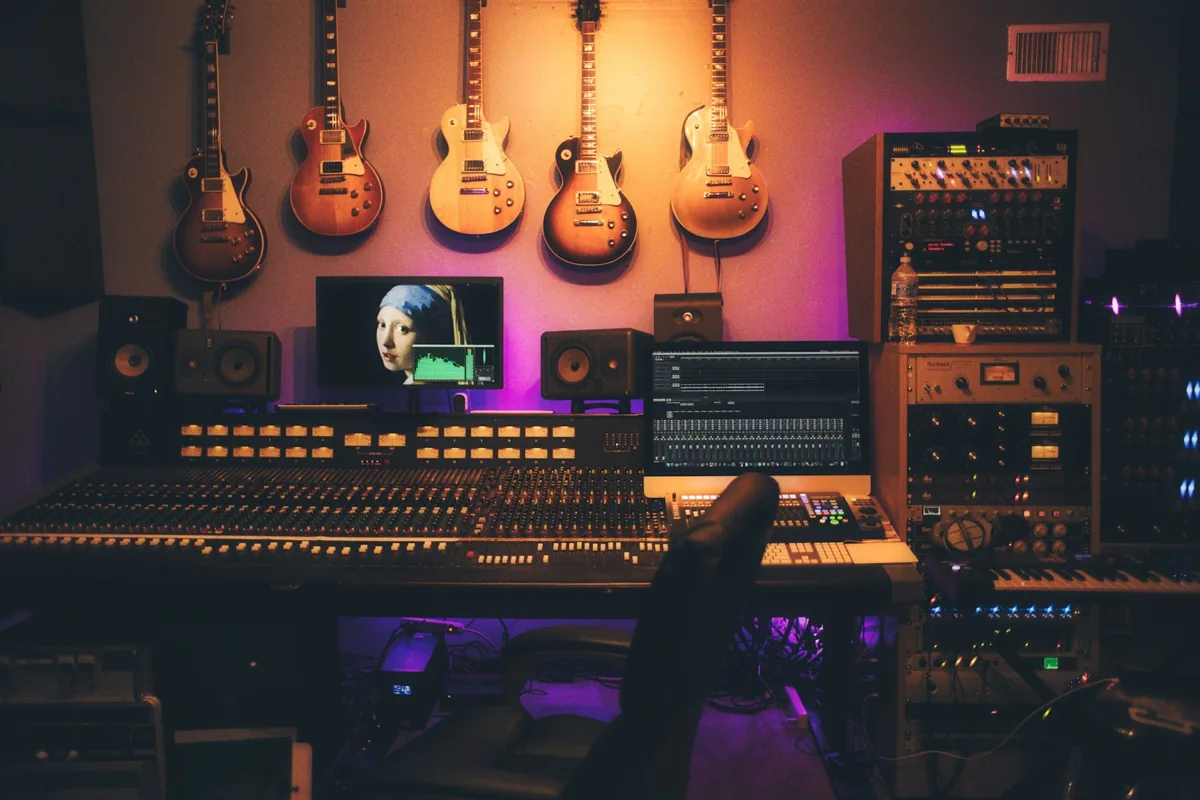
Real music-space photography for creative direction. These are mood references, not AI-generated video results. View photo sources.
Less spectacle.
More feeling.
More feeling.
A small stage for a big idea
What is an AI Tiny Desk concert?
An AI Tiny Desk concert is a fictional, AI-created performance in an intimate music-room setting: a close camera, a microphone, a few instruments and a performer at the center.
The appeal is the closeness. A glance before the first line. A tiny head nod. A room that feels like somebody actually makes music there. Start with those details, rather than a stadium stage and a dozen camera cuts.
Our studio takes that idea into a short video. Choose a portrait and room, then generate a 5-, 10- or 15-second performance at 720p with optional original audio. Rendering requires a beta access code. A specific song still needs a separate audio-aware workflow for accurate lip sync.
Read the creator guideFrom portrait to performance
Make a session of your own.
Keep the first idea simple.
One face. One room. One good shot.
- 1
Give the camera a face.
Use a clear portrait with soft light and an unobstructed mouth. A chest-up frame gives the microphone and shoulders room to breathe. Preview locally; your image is uploaded only when you choose Generate.
- 2
Find your session’s mood.
Choose a room, a musical direction and the framing. Add one personal detail if you like. The builder combines these choices into an editable production direction.
- 3
Render, review, replay.
Enter your render access code and confirm permission. Generate a short take, follow its status, then play or download the MP4. Check the face, fingers and audio before sharing.
Made in this studioA little robot.
A little robot.
A real generated session.
This five-second clip came from the same portrait-to-video workflow you can use above.
We started with an original fictional robot illustration, selected Acoustic afternoon and generated a vertical 720p session with original audio using Seedance 2.5. The MP4 shown here is the actual returned file.
AI-generated example · October 26, 2026. One successful take is a demonstration of the workflow, not a guarantee of likeness, instrument accuracy or audio quality for every portrait.
Create your own sessionSee the format in the wildA creative reference,
A creative reference,
with its context intact.
This external creator example is titled “Tiny Desk-style performance: ‘They Don’t Know’ — original AI-assisted song.” It offers a reference for the format, not a demonstration of our studio’s output.
Watch on the creator’s YouTube pageWe do not host or claim ownership of this recording. Views and availability can change.
The details make the differenceMake it feel close.
Make it feel close.
Keep it believable.
A room-sized performance works best when the visual choices support the music. This is a starting checklist, not a guarantee of what a model will produce.
Explore the prompt library| Decision | A useful starting point |
|---|---|
| Portrait | One well-lit face; clear eyes and mouth; no hands covering the features. |
| Room | A wooden desk, shelves and one or two musical details. Give the performer visual breathing room. |
| Movement | Small sways, natural breathing, a slight head nod. Add complex instrument playing only after a simpler shot works. |
| Camera | A mostly locked medium close-up. Use a gentle push-in instead of a sweeping orbit. |
| Sound | An original or licensed track. Use dedicated synchronization when words need to match the mouth. |
| Final review | Check likeness, fingers, microphone contact and timing. Label realistic synthetic media before sharing. |
A few things before the first takeGood questions.
Good questions.
Straight answers.
Know what the studio does,
and what happens next.
What is an AI Tiny Desk video?
An AI Tiny Desk video is a synthetic performance clip that places a person or fictional character in an intimate, desk-sized music setting. A reference portrait can guide appearance; a prompt describes the room, camera and movement. It is a creative format, not proof that the person performed the song. This independent site is not an NPR service.
Does this website generate a finished video?
Yes. With a valid beta render access code, the studio sends your permitted portrait and direction to Kie using Seedance 2.5. Choose 5, 10 or 15 seconds, a vertical, landscape or square frame, and optional original audio. The result is a 720p MP4. Availability depends on daily capacity and provider load. Exact likeness, singing and lip timing are not guaranteed.
Is AI Tiny Desk free to use?
Local photo previews, the prompt builder and editorial guides are free. Real video rendering is currently an access-code beta with limited daily capacity. This site has no public checkout or paid subscription. The operator pays the provider for rendering; an access code is required before an image is uploaded.
Which photo works best for a desk concert?
Choose a sharp, front-facing or three-quarter portrait with even lighting. A chest-up image usually leaves useful room for shoulders and the microphone. Avoid sunglasses, fingers covering the mouth and a face that occupies only a tiny part of the frame. Only use a portrait you own or have permission to use.
Will the video match the music and lip movements?
A visual prompt alone does not synchronize lips to a song. If precise singing matters, use a workflow that explicitly supports your audio track and lip synchronization. Generated audio may be an atmosphere or an approximation. Inspect the mouth, timing and pronunciation before publishing.
Can I use a celebrity photo or a popular song?
Public availability does not grant permission. Check the image license, likeness and voice permissions, and rights in both the composition and recording. Rules vary by use and jurisdiction. For a straightforward starting point, use your own portrait, an original song and a clear AI-generated label.
What happens to my uploaded portrait?
Previewing a portrait keeps it in your browser. Selecting Generate after confirming permission resizes it to a JPEG and sends it through our server to Kie’s upload service for generation. Our database stores task settings and temporary provider links, not the image bytes. Reference links are cleared from our database when a task completes or fails. This does not delete the provider’s copy. See the Privacy Policy for details.
Is this connected with NPR Tiny Desk Concerts?
No. AI Tiny Desk is an independent creative studio. NPR’s Tiny Desk Concerts is a separate live music series. This site does not claim an NPR partnership, use its logo or present AI clips as official performances.
Sources & editorial notes
Written and maintained by the AI Tiny Desk editorial team. Updated . Our creative recommendations are starting points, not hands-on tests of every video model.
About this project and contact- NPR Music: Tiny Desk Concerts
The original live performance series. Linked for context, without suggesting affiliation.
- U.S. Copyright Office: musical works and sound recordings
A primary source explaining the separate copyright interests in music and recordings.
- YouTube: disclosing altered or synthetic content
Platform guidance for realistic altered or synthetic media. Check the rules of the platform you use.
Your next idea has a seat.
Start with the room. The rest is your direction.